1
2
3
4
5
6
7
8
9
10
11
12
13
14
15
16
17
18
19
20
21
22
23
24
25
26
27
28
29
30
31
32
33
34
35
36
37
38
39
40
41
42
43
44
45
46
47
48
49
50
51
52
53
54
55
56
57
58
59
60
61
62
63
64
65
66
67
68
69
70
71
72
73
74
75
76
77
78
79
80
81
82
83
84
85
86
87
88
89
90
91
92
93
94
95
96
97
98
99
100
101
102
103
104
105
106
107
108
109
110
111
112
113
114
115
116
117
118
119
120
121
122
123
124
125
126
127
128
129
130
131
132
133
134
135
136
137
138
139
140
141
142
143
144
145
146
147
148
149
150
151
152
153
154
155
156
157
158
159
160
161
162
163
164
165
166
167
168
169
|
# RGB Lighting
QMK has the ability to control RGB LEDs attached to your keyboard. This is commonly called *underglow*, due to the LEDs often being mounted on the bottom of the keyboard, producing a nice diffused effect when combined with a translucent case.
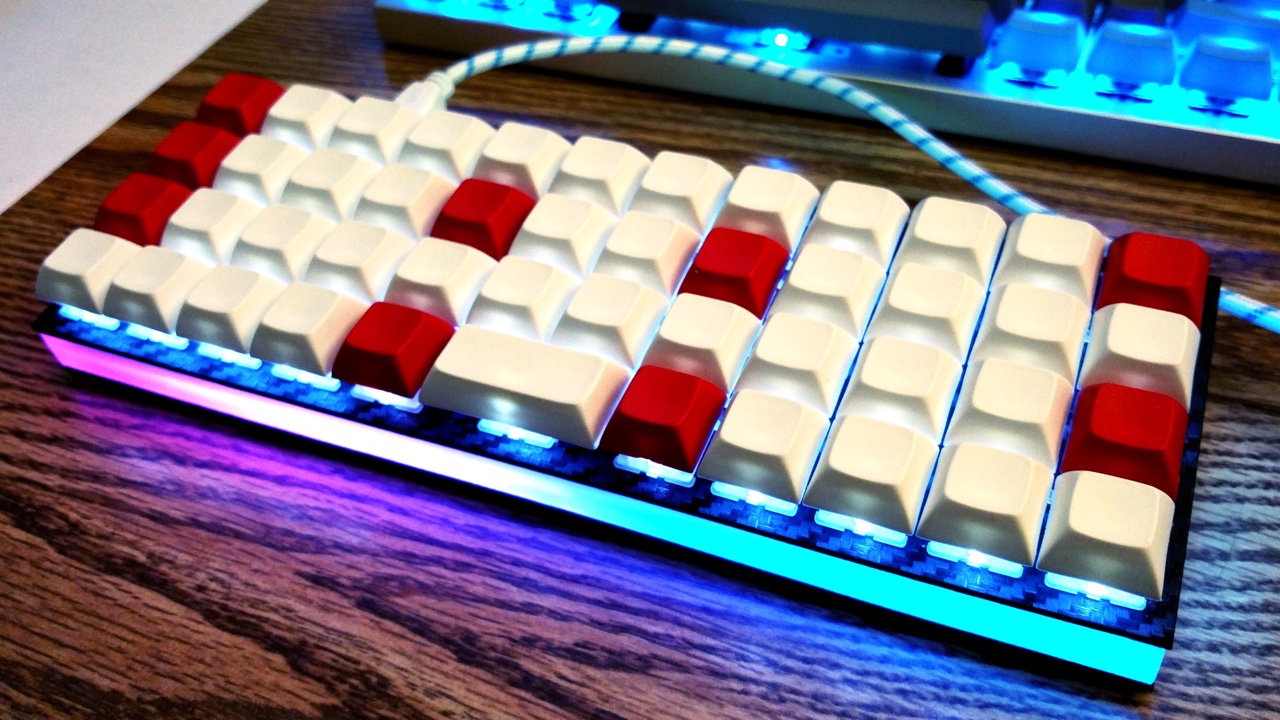
Some keyboards come with RGB LEDs preinstalled. Others must have them installed after the fact. See the [Hardware Modification](#hardware-modification) section for information on adding RGB lighting to your keyboard.
Currently QMK supports the following addressable LEDs on AVR microcontrollers (however, the white LED in RGBW variants is not supported):
* WS2811, WS2812, WS2812B, WS2812C, etc.
* SK6812, SK6812MINI, SK6805
These LEDs are called "addressable" because instead of using a wire per color, each LED contains a small microchip that understands a special protocol sent over a single wire. The chip passes on the remaining data to the next LED, allowing them to be chained together. In this way, you can easily control the color of the individual LEDs.
## Usage
On keyboards with onboard RGB LEDs, it is usually enabled by default. If it is not working for you, check that your `rules.mk` includes the following:
```make
RGBLIGHT_ENABLE = yes
```
At minimum you must define the data pin your LED strip is connected to, and the number of LEDs in the strip, in your `config.h`. If your keyboard has onboard RGB LEDs, and you are simply creating a keymap, you usually won't need to modify these.
|Define |Description |
|------------|---------------------------------------------|
|`RGB_DI_PIN`|The pin connected to the data pin of the LEDs|
|`RGBLED_NUM`|The number of LEDs connected |
Then you should be able to use the keycodes below to change the RGB lighting to your liking.
### Color Selection
QMK uses [Hue, Saturation, and Value](https://en.wikipedia.org/wiki/HSL_and_HSV) to select colors rather than RGB. The color wheel below demonstrates how this works.
<img src="gitbook/images/color-wheel.svg" alt="HSV Color Wheel" width="250"/>
Changing the **Hue** cycles around the circle.
Changing the **Saturation** moves between the inner and outer sections of the wheel, affecting the intensity of the color.
|
